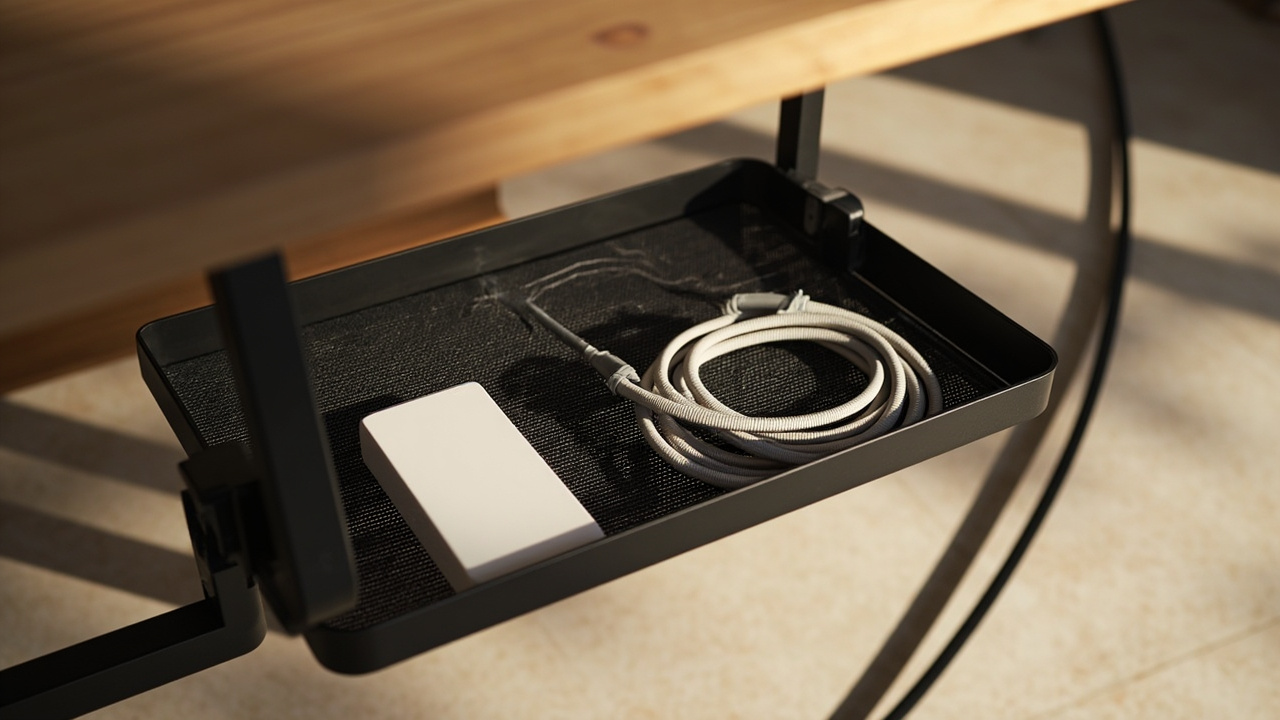
A working home office runs on cables — power, data, peripherals — and most desks accumulate them faster than the room accumulates clutter anywhere else. I’ve rewired more under-desk messes than I can count, and the pattern is always the same. Cable management is a four-part system: audit, route, secure, then label and hide. The right setup depends on desk type, cable load, drilling permission, and whether the power strip stays ventilated. This guide sits inside the home office organization system and extends the companion home office desk organization 4-zone surface system into Zone 4 (Tech at Desk) — the cable layer underneath.
Why Cable Management Matters
Safety: keep power and data cables out of walkways
Loose cables across a walking path become trip hazards, and a snagged laptop cable can pull a $1,500 machine onto the floor. Power strips shoved into unvented boxes trap heat around the plugs — most cable fires start with a covered, overloaded, or dust-clogged strip. Keep the strip accessible and ventilated.
Maintenance: make every cable identifiable and replaceable
A bundle of identical black cables becomes a “do not touch” zone after six months. I’ve spent more time untangling unlabeled HDMI runs than I care to admit. Labeling both ends turns troubleshooting into a 30-second job. The declutter-fast 4-quadrant method applies: audit before you buy, because most desks carry 2-3 dead cables that don’t need routing at all.
Aesthetic: separate daily-use cables from hidden excess
Visible cables signal disorder even when the desk is clean. The 80/20 rule from kitchen countertop organization applies: 80% of cables hidden (tray, box, sleeve, raceway); 20% visible for daily-use items. Everything else goes out of sight.
The 4-Step Cable Management System
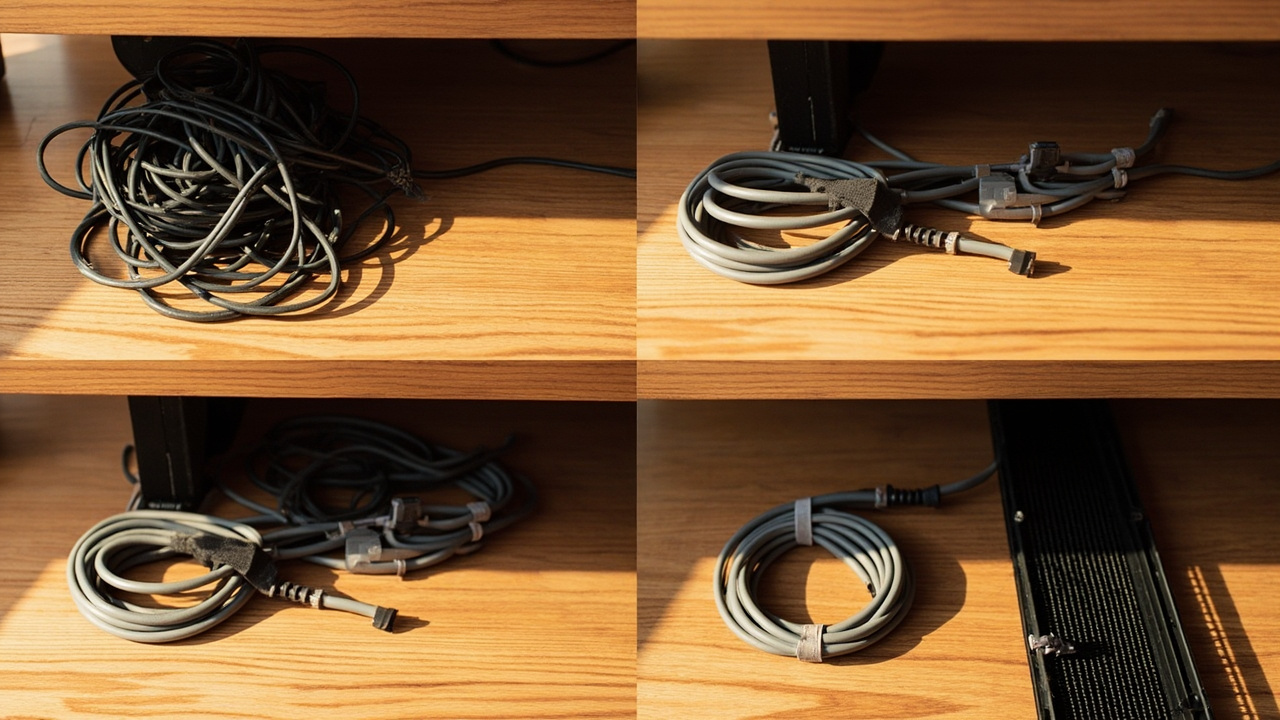
Step 1: Audit every cable and measure the route
List source, device, cable type, length, and whether it moves with a standing desk. Stand behind the desk with a flashlight and trace each cable from plug to device. Remove dead cables before buying organizers — most desks shed 2-4 during this step. If the wall outlet is more than 6 feet away, plan for a long-cord power strip ($16.99) so the cord reaches without an extension.
Step 2: Route power and data deliberately
Keep the power strip near its outlet; route monitor, USB, and Ethernet cables separately. Don’t mix power and data in one bundle — power cables induce minor interference on long parallel data runs, and bundling means you can’t service one without disturbing the other. Leave service slack at moving joints.
Step 3: Secure cables at exit points
Use tray openings, reusable ties ($8.54), and adhesive clips ($4.99). Avoid one oversized bundle that prevents troubleshooting. Zip ties work but make every reconfiguration a cut-and-replace job — we switched to reusable Velcro as the default for that reason.
Step 4: Label, hide, and schedule a reset
Label both ends as source/device/length using how to label anything. Use a cable sleeve, cable box ($27.99), raceway, or desk grommet only after routing works. Reset immediately after adding a device and do a 90-day re-route — cables re-chaos faster than any other zone.
Layout by Setup Type
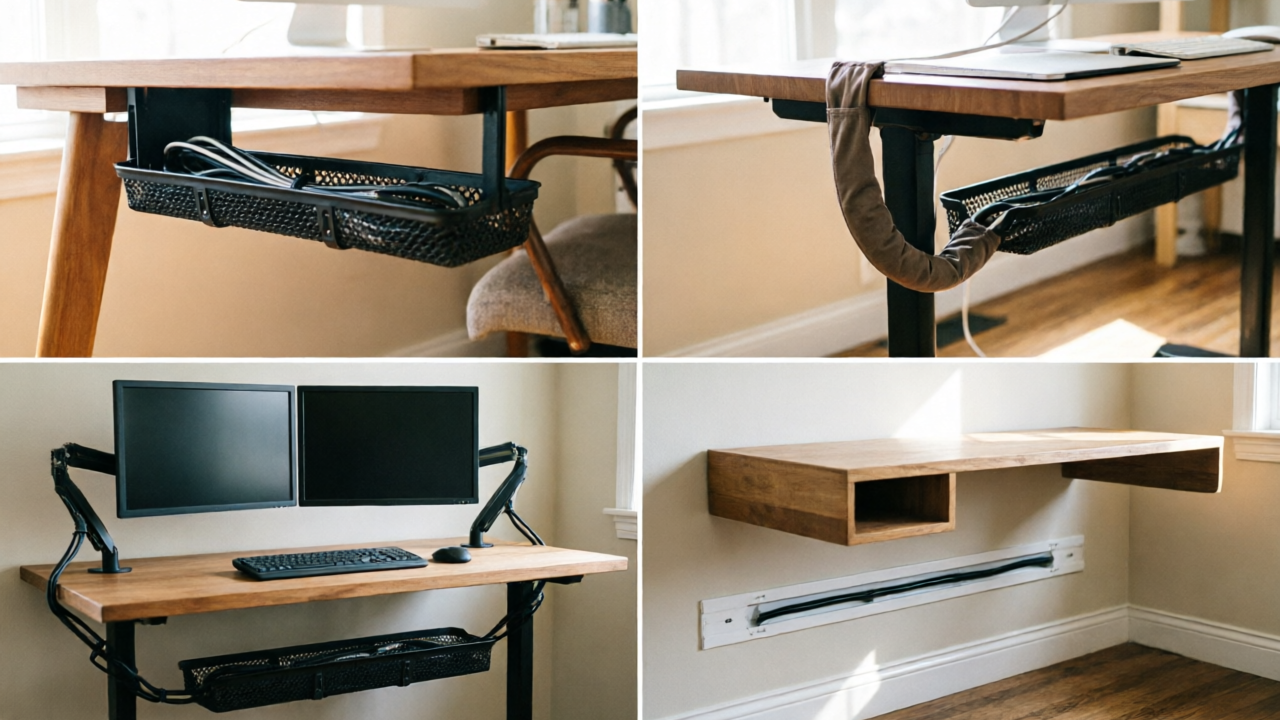
Sitting desk: under-desk tray plus rear cable exit
A mesh cable tray ($13.99) clamped to the rear edge holds the power strip and adapters; the rear cable exit lets monitor cables drop to the floor channel. Slack management is simple for sitting desks — the cables don’t move, so bundle once and forget. Add a cable box ($27.99) if excess cord length is the visual problem.
Standing desk: cable spine, moving slack, and motor clearance
The motor column moves 20-30 inches vertically, and any cable tied tight across that travel fails within weeks. Route cables into a flexible cable sleeve that bends with the desk, leave 6+ inches of slack at the column joint, and keep the motor path clear. A long-cord power strip ($16.99) anchored to the frame moves with the surface. Secure moving runs with reusable ties ($8.54).
Dual-monitor desk: size the tray for two display cables and two power leads
Dual monitors double the cable count: two display cables, two monitor power leads, plus computer power and peripherals. A single tray isn’t wide enough — use two clamp trays ($13.99 each) stacked front-to-back, or split power and data. Label both ends with how to label anything because two identical black HDMI cables are indistinguishable after six months. Bundle each monitor group with reusable ties ($8.54).
Floating or wall-mounted desk: raceway or grommet, with no loose floor loop
There’s no under-desk surface for a tray, so the cable path runs from outlet to desk through a wall raceway or a desk-mounted grommet. Don’t leave a loop of excess cable on the floor — coil and secure it inside the raceway channel or behind the desk with adhesive clips ($4.99).
Cable Management Products That Work
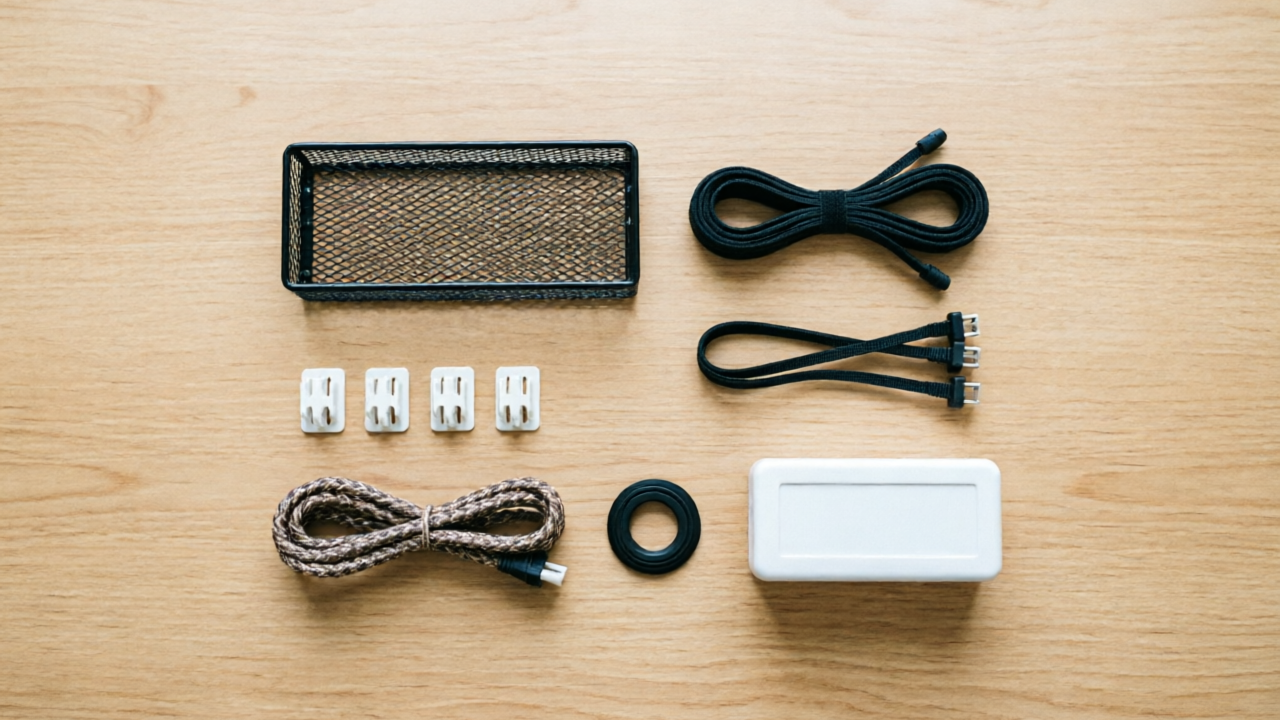
Five products cover the full cable system (sleeve and grommet fill gaps without a dedicated SKU here). Pick by category need, not by brand.
Under-desk tray for power strips and adapters
The Litwaro cable tray ($13.99) clamps without drilling, fits 0.4-2 inch desks, holds 15 lb. Same ASIN as the home office desk organization hub Zone 4 anchor.
Vented cable box for excess length (never seal a hot power source)
The D-Line cable box ($27.99) hides excess cord length with three rear entry/exit slots. Pick the vented-lid variant when the power strip stays inside.
Clips and reusable ties for short runs
Flezoo adhesive clips ($4.99 for 12) route short cables along the desk edge. VELCRO reusable ties ($8.54 for 100) bundle cables and reconfigure when devices change. These two handle 70% of routing problems.
Long-cord power strip or surge protector for under-desk power
The Addtam surge protector ($16.99) with a 10-foot cord solves the distance problem. Twelve outlets plus four USB ports cover most setups.
Common Mistakes
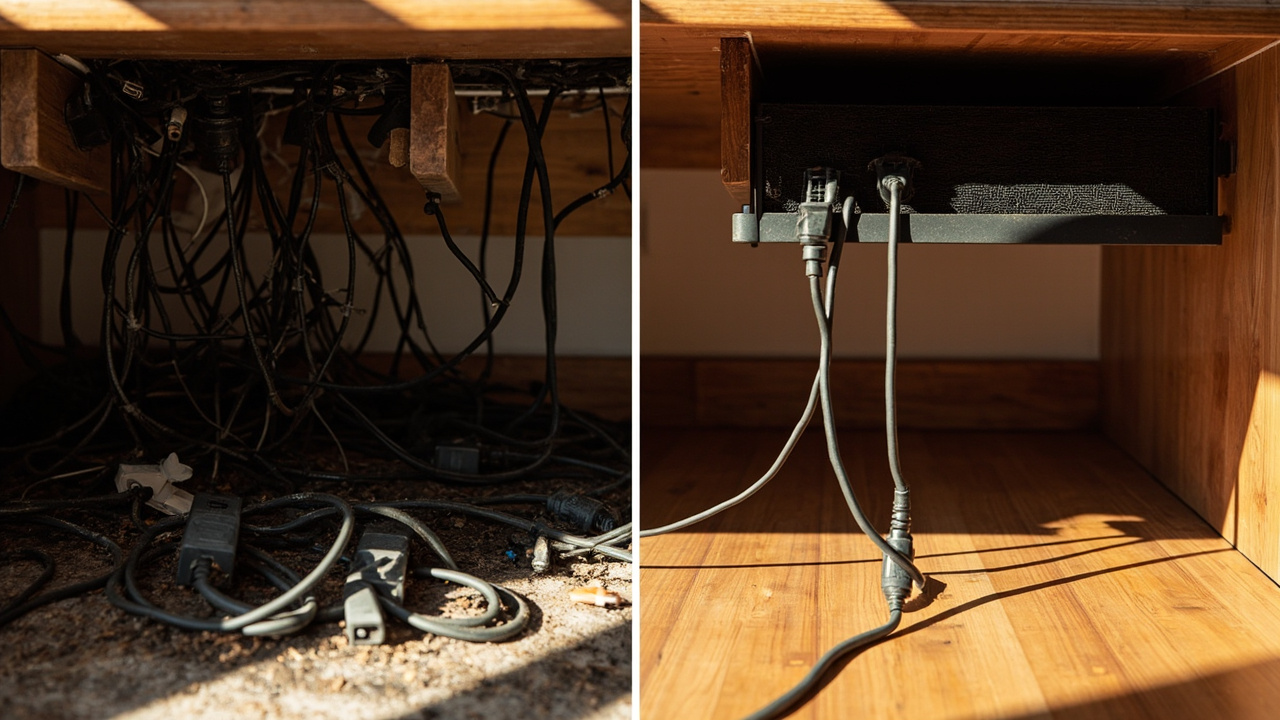
- Stuffing a power strip into a non-vented box. Covered strips trap heat — most cable fires start with a covered, overloaded, or dust-clogged strip. Use a vented cable box ($27.99) when you must hide the strip, or leave the strip exposed.
- Bundling every cable into one inaccessible sleeve. A single sleeve wrapping 8-10 cables turns troubleshooting into a 30-minute disassembly job. Bundle by device (monitor, USB hub, charging) so each group opens independently.
- Choosing tray length without checking weight capacity and desk thickness. A tray rated for 5 lb that holds 12 lb sags within weeks. The Litwaro tray ($13.99) handles 15 lb and fits 0.4-2 inch desks — check your desk thickness first.
- Forgetting movement slack on a standing desk. Cables tied tight across a motor column fail within weeks. Leave 6+ inches of slack, route through a flexible cable sleeve, and keep the motor path clear.
- Buying organizers before removing dead cables and measuring. Most desks shed 2-4 cables during an audit. Apply the declutter-fast 4-quadrant method first, then measure, then buy. Saves $20-50.
Constraint Guide: If-Then Scenarios
If you rent or cannot drill, then use a clamp tray, adhesive clips, and removable ties
A no-drill setup starts with the Litwaro clamp tray ($13.99) — rubber-padded clamps grip without marking. Add Flezoo adhesive clips ($4.99) along the back edge for short runs. Skip screw-mounted raceways and zip ties (they leave marks). Apply small-space decluttering — minimal hardware, removable only.
If your budget is under $20, then start with ties, clips, and one tray
A starter kit under $20: Flezoo adhesive clips ($4.99), VELCRO reusable ties ($8.54), and the Litwaro clamp tray ($13.99). Covers 80% of routing problems. Delay cosmetic concealment — apply declutter on a budget thinking.
If you run dual monitors or many adapters, then choose a wide/high-capacity tray and split routes
Dual-monitor setups carry 8+ cables (two display, two monitor power, computer power, USB hub). A single tray often isn’t enough — step up to a second Litwaro clamp tray ($13.99) or split routes by function: one tray for power, a second for data. Bundle by device (left-monitor cables together, right-monitor cables together) and label both ends with how to label anything so the two HDMI cables don’t become indistinguishable. Add a long-cord power strip ($16.99) to handle the doubled outlet load.
If the desk is in the middle of the room, then prioritize a sleeve/spine and a concealed floor route
Center-of-room desks have no wall to hide cables against. The fix is a flexible cable sleeve wrapping the floor-to-desk run, paired with a small cable box ($27.99) for the wall-outlet end and a cable tray ($13.99) at the desk.
If you use a standing desk, then preserve movement slack and keep the motor path clear
The motor moves 20-30 inches vertically, and any cable tied tight across that travel is the first failure. Route the long-cord power strip ($16.99) to the desk frame so the cord flexes once, not at every device. Leave 6+ inches of slack at the column joint, wrap moving runs in a cable sleeve, and secure with VELCRO reusable ties ($8.54). Add a second clamp tray ($13.99) for the moving cables so the desk frame carries the load, not the column.
If the power strip must be boxed, then use a ventilated design and verify clearance
Choose a vented D-Line cable box ($27.99) for the strip enclosure and a long-cord power strip ($16.99) with 12 outlets plus USB ports inside. Solid boxes trap heat around the strip and wall warts. Verify 1 inch of clearance around the lid for airflow, and don’t exceed the strip’s rated load. The box is for excess length, not for hiding a live power source.
Cable Reset Cycle
Device-added reset: route and label immediately
Every new device adds a new cable. Don’t let new cables pile up for a quarterly reset — I route and label each one when it arrives. The 30-second cost per device is the cheapest maintenance you’ll do.
Quarterly reset: unplug, dust, audit, and re-route
Every 90 days, unplug the strip, vacuum dust, audit the cable list against the device list, and re-route anything that drifted. My own desk reset takes about 15 minutes once the labels are already on. Apply the decluttering maintenance routine framework — cables re-chaos faster than any other zone.
Related Guides
For the full home-office picture, start at the home-office hub and the companion 5-zone guide, then the home office desk organization guide for surface zones. For declutter-first routines, apply declutter-fast before buying organizers. For labeling systems, see how to label anything. New to the site? Start at start here.