
A working desk surface is the smallest, most-touched storage zone in your home office — and the easiest one to lose. This guide covers a 4-zone method (Daily Tools, Desk Drawer, Paper at Desk, Tech at Desk), the desk-size mapping (Sub-3 / 4-6 / 7+ sqft), and the workflow-specific constraint guide so the layout holds up whether you handle heavy paper, run a 4-monitor setup, or carry your laptop to a café. Apply the declutter-fast 4-quadrant method first, then map the system to your desk using the home-office 5-zone hub as the room-wide frame.
Why Home Office Desks Get Messy
Three failure patterns show up in nearly every messy-desk photo:
- Catch-all desk syndrome — the surface becomes a drop point for mail, receipts, packages, mugs, and random deliveries. The r/workfromhome thread on home office organizing describes exactly this pattern. The fix is limiting the surface to current work and routing everything else to a named zone.
- Hidden cable chaos — monitors, computers, speakers, lamps, printers each arrive with cables, and the bundle grows for months before anyone notices. A dedicated Cable zone (under-desk tray) prevents the buildup.
- Paper mountain — bills, forms, notes, and receipts share one pile, and urgent items disappear underneath the rest. Separating Mail-and-Action from active projects and archive solves this.
The 4-zone system below addresses all three by giving each category a designated place before the clutter has a chance to spread.
What You’ll Need: 6 Picks Mapped to 4 Zones
The 6 picks below cover all 4 zones plus one Sub-3 sqft fix. Prices verified via Amazon Creators API on July 21, 2026.
Daily Tools (Zone 1 anchor): Simple Houseware Mesh Desk Organizer
The Simple Houseware Mesh Desk Organizer at $26.46 combines a sliding drawer, 5 upright sections, and a double tray in one 11-piece unit — 35,676 reviews confirm it’s the daily-tools workhorse. It holds pens, sticky notes, paper clips, USB drives, a charging cable, and one current notebook. For higher-end aesthetic upgrades, see the home-office 5-zone guide’s recommended-products table.
Desk Drawer (Zone 2): Bofoho Adjustable Drawer Divider
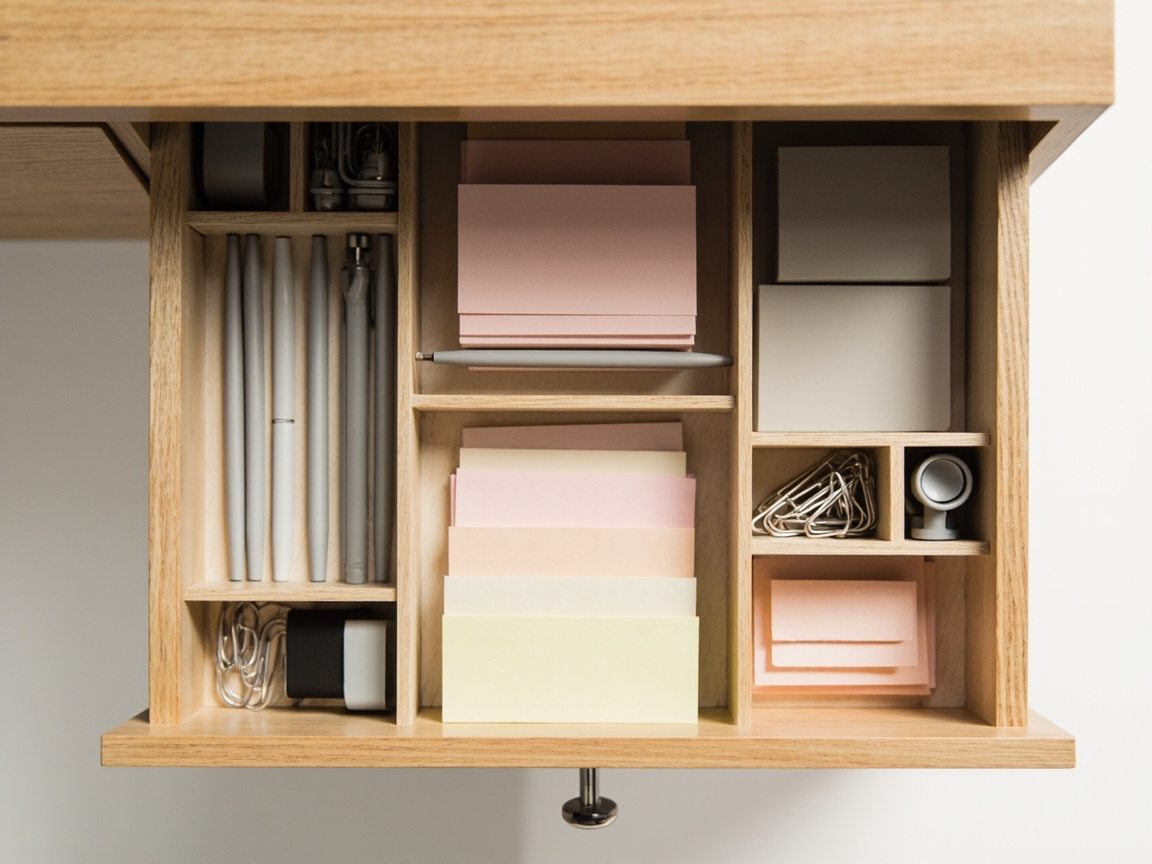
The Bofoho Drawer Divider at $13.99 cuts to fit any drawer interior — adjust for pens, clips, sticky notes, drives, and charging cables. See the deep dive on drawer organization at how to choose drawer organizers for material and divider-type comparisons.
Paper at Desk (Zone 3): Marbrasse 6-Tier Letter Tray
The Marbrasse 6-Tier Paper Organizer at $17.99 sorts incoming, active, reference, and archive papers in 6 mesh tiers (5,300 reviews). Pair with how to label anything for visible-category labels on each tier.
Tech at Desk (Zone 4): Litwaro Budget or Yecaye Premium
Two cable-tray picks for Zone 4. Budget Litwaro Under Desk Cable Tray at $13.99 for lighter cable setups (3,207 reviews). Premium Yecaye 2-Pack Cable Management at $19.99 for heavier multi-monitor or power-strip setups (1,995 reviews; the 2-pack works out to $10 each). Both clamp on, no drilling.
Sub-3 sqft Fix: OPNICE Monitor Stand Riser with Drawer
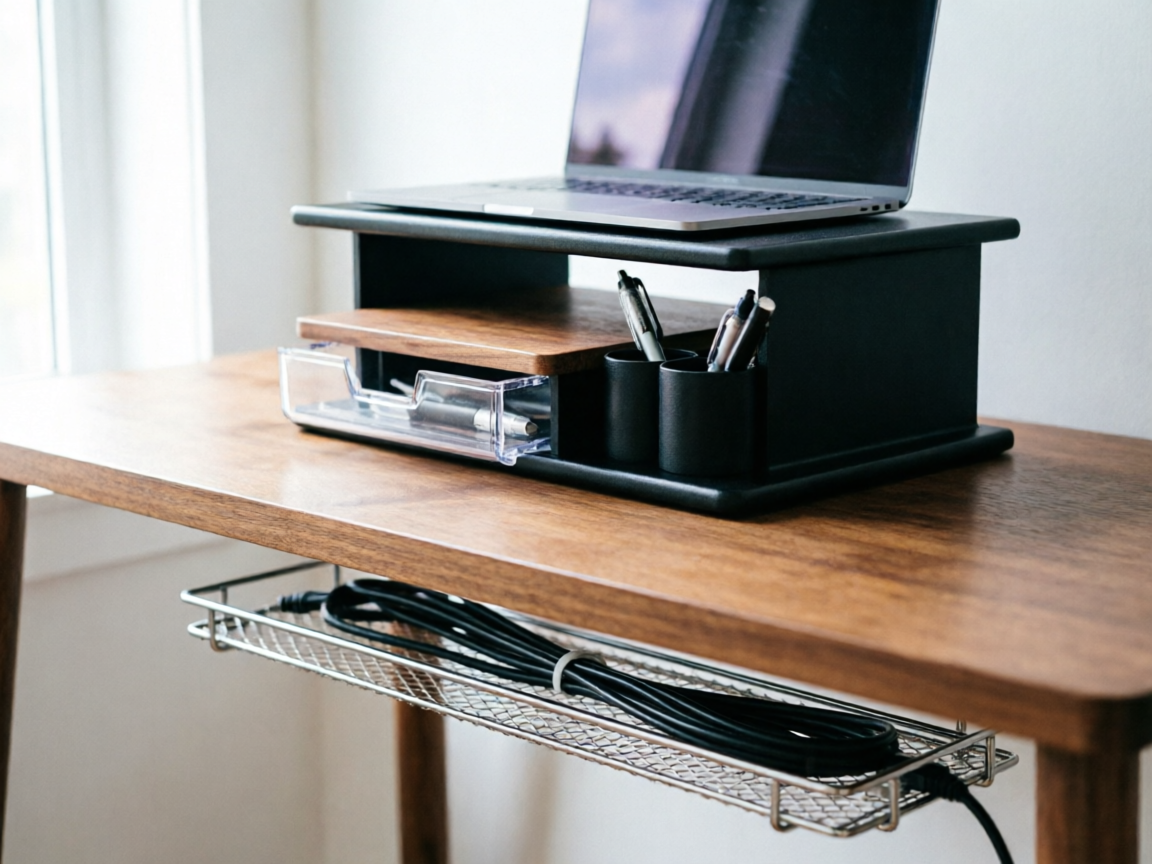
The OPNICE 2-Tier Monitor Stand Riser at $21.99 stacks vertically — adds a drawer plus 2 pen holders under the monitor without expanding desk footprint (3,051 reviews). Use this when the desk surface is under 3 sqft and you can’t fit a desktop organizer.
The 4-Zone Desk Method
Before buying any organizer, apply the declutter-fast 4-quadrant method: empty the desk, sort into keep / relocate / trash / donate, then measure what stays and build zones around that. The KonMari method reinforces this with its category-not-location principle — sort by what an item is, then place it where it lives, instead of placing by room first.
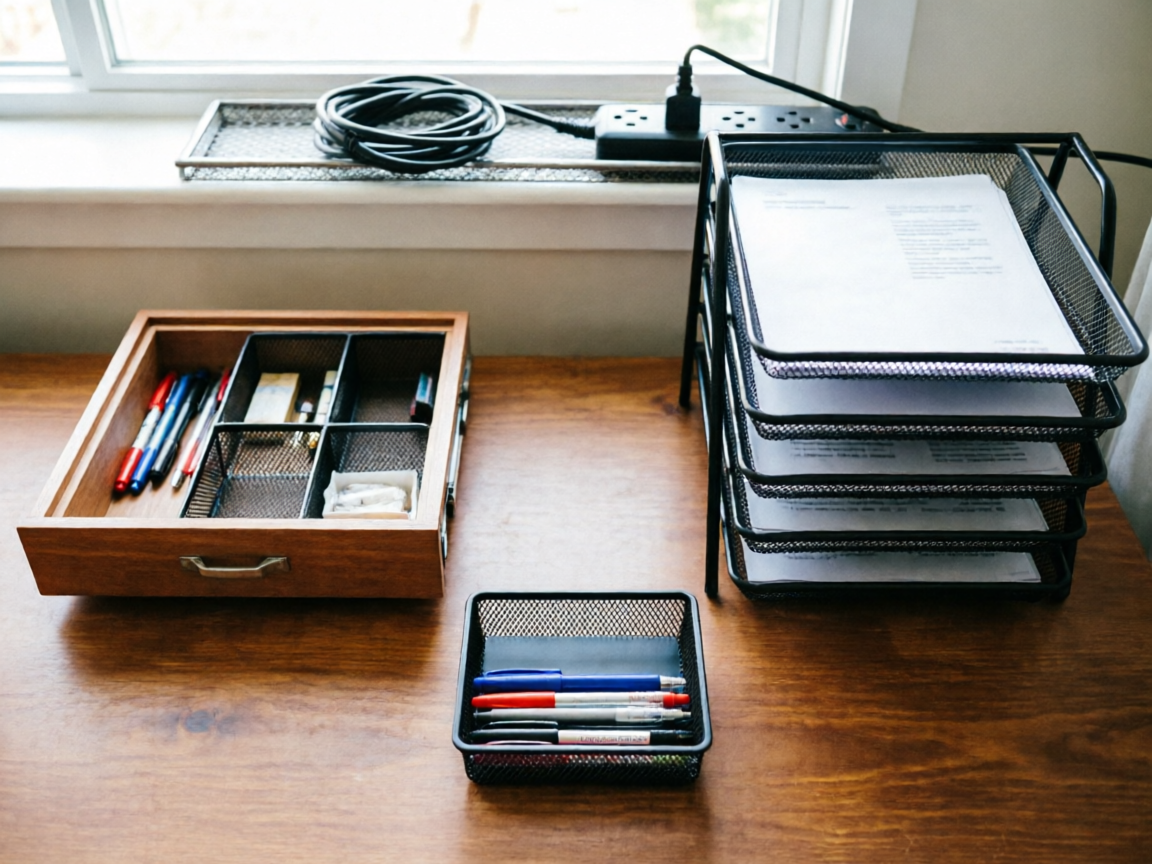
Zone 1: Daily Tools (within arm’s reach)
Keep this zone for monitor, keyboard, mouse, current-task notebook, and daily-use supplies. Apply reach ergonomics — your forearm shouldn’t have to extend more than 16 inches for any daily item. The Simple Houseware Mesh Desk Organizer holds the small items that would otherwise spread across the surface. Cross-link: counter-zone logic applies across work surfaces — both a desk and a counter split into daily-tools + decorative display in the same way.
Zone 2: Desk Drawer (sort by category)
The drawer holds weekly-use supplies: spare pens, sticky notes, paper clips, USB drives, charging leads, tools. Empty it before measuring — dividers must fit the usable interior. Apply the 6-category system: writing, paper clips, electronics, tools, spare chargers, future supplies. The Bofoho Drawer Divider cuts to fit any drawer depth.
Zone 3: Paper at Desk (triage + file)
Separate three categories: Mail-and-Action (bills to pay, forms to return, items needing a decision this week — top tier of the tray), Active projects (current client work, current reports — middle tiers), and Reference (items you reach for monthly — back tier). The Marbrasse 6-Tier Paper Organizer handles all three in one unit. Apply labels to the front of each tier so categories stay visible.
Zone 4: Tech at Desk (cable + monitor)
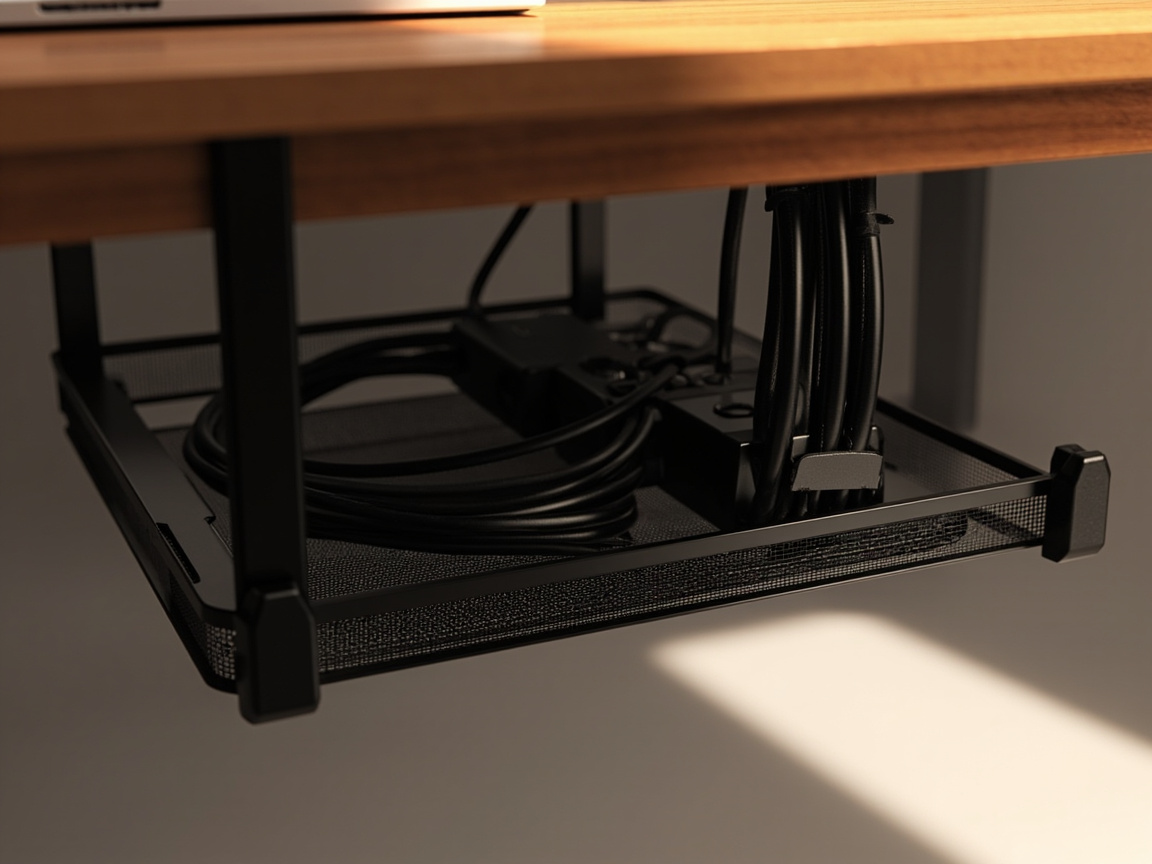
Two sub-zones: the Monitor sub-zone (monitor with or without riser, plus daily-connect cables at the back edge) and the Cable sub-zone (power strip + surge protector + slack cables inside an under-desk tray). Use Litwaro for 1-2 cable setups; Yecaye 2-pack for 3+ cables or multi-monitor setups. Leave slack at the connectors so you can pull the desk out for cleaning.
Layout by Desk Size
Sub-3 sqft desk (30” wide or less — laptop-only or standing-desk converter)
Vertical stacking is the only answer. The OPNICE Monitor Riser creates a 2nd tier under the monitor plus a drawer for daily supplies. Skip the Simple Houseware organizer unless the desk is 4+ sqft. A cable tray is required — there’s no room for cables on the surface.
4-6 sqft desk (35-50” wide — mid-size desk with drawer)
The full 4-zone layout fits. Place the Simple Houseware organizer on the back-left or back-right so it stays within reach without blocking the writing surface. The Bofoho Drawer Divider goes in the desk drawer (Zone 2). The Marbrasse Paper Tray goes on a side shelf or floor-level magazine rack so it doesn’t crowd the working surface.
7+ sqft desk (55” wide or more — executive or partner-shared desk)
Paper system can expand to a wall file plus a desktop tray. The Tech zone gets its own dedicated corner with the Yecaye premium tray. Add a 2nd organizer for shared-desk scenarios, one for each person. The dual-occupant logic parallels shared storage zones elsewhere — apply the same mirror layout so each person has a designated anchor for daily-tools + active papers.
Constraint Guide by Workflow
Heavy paper workflow (tax-prep, consulting, legal)
If you handle 30+ paper items per week, expand Zone 3 to 2 paper trays — primary Marbrasse plus a wall file like the SUPEASY 10-tier per the home-office 5-zone guide for overflow. Apply declutter-on-a-budget and limit keep-pile to current-year items; archive prior years elsewhere. Use labels for inbox / active / reference separation, and place the Simple Houseware organizer beside the paper tray so the label stickers, pens, and highlighter stay within arm’s reach while you triage.
Heavy tech workflow (4-monitor, streaming, podcast setup)
If you have 3+ cables per device, use the Yecaye 2-pack tray ($19.99) for the under-desk power strip plus a 2nd tray for monitor cables. Reserve the Litwaro tray ($13.99) for the lighter laptop-charger + phone-charger accessory bundle so the Yecaye pair stays reserved for the heavy multi-monitor power strip. Label both ends of every cable per 5S method “standardize” step. Keep the monitor sub-zone clear of papers — active papers in a heavy-tech workflow create cable tangles and paper damage.
Hybrid in-out workflow (laptop-only, hot-desk, café worker)
If you carry your setup daily, skip the paper tray entirely — use a single labeled folder for what’s currently active. Use the Simple Houseware organizer only for items that travel with the laptop bag (chargers, drives). Inside the laptop bag, fit a Bofoho Drawer Divider cut down to a small insert so dongles, drives, and cables don’t shift during commute. Cable tray goes on the home desk only. Apply small-space decluttering — minimal surface, monthly-only items go off-desk entirely.
Creative sketch workflow (drawing tablet, watercolor, art supplies)
Zone 1 holds the drawing tablet plus 3-5 most-used pens. Zone 3 holds sketchbooks — use the Marbrasse paper tray for paper overflow, and add a wall-mounted organizer via the home-office hub for brushes. The Bofoho Drawer Divider handles small-item storage (erasers, sharpening tools). Zone 4 stays as cable management — use the Yecaye 2-pack tray for the drawing-tablet charging cable plus a dedicated second tray for the monitor array, because art setups run 4-5 cables once you add a display tablet and reference monitor.
Common Mistakes
- Buying organizers before decluttering. Most people buy bins and baskets before emptying the desk, and the bins fill with stuff you never use. Fix: apply the declutter-fast 4-quadrant method first, then measure the keep-pile, then buy organizers sized to the actual contents. Saves $30-80 on unnecessary bins. (Source: r/workfromhome + r/homeoffice editorial consensus)
- Treating the desk as a drop point for mail, receipts, devices. Mail, receipts, and devices accumulate because the surface is convenient. Fix: mail goes immediately to Zone 3 (paper tray top tier = “Action Needed”). Receipts go to a daily-expense folder. Devices charge at one designated spot in Zone 1, not scattered on the surface. (Source: r/workfromhome organizing thread)
- Ignoring cable management until it becomes a snake pit. Most desks accumulate cables for 6-12 months before anyone notices the chaos. Fix: add an under-desk cable tray on day 1 of desk setup. Bundle by device. Label both ends. (Source: r/homeoffice favorite-picks thread)
- Mixing work and household paper on the desk. Bills, school forms, and permission slips share the same pile as work projects. Fix: work paper lives in Zone 3 (paper tray). Household paper lives in a separate folder or a kitchen command center. Work paper and household paper have different deadlines and don’t belong mixed. (Source: HGTV + Better Homes & Gardens editorial consensus)
- Placing daily-use items too far from the reach zone. Daily items placed at the back of the desk mean you extend for them 50+ times per day, causing ergonomic strain and item migration to the front — which defeats the layout. Fix: apply the declutter-maintenance-routine “ergonomic reach zone” rule — within 16 inches for daily items, beyond 24 inches for weekly items, off-desk for monthly-plus items. (Source: ergonomic guidance from physical therapists + Architectural Digest editorial)
Maintenance: 60-Second Daily + Weekly Deep Reset
Apply a 2-tier maintenance rhythm so the zones hold up under daily use:
- Daily (60 seconds): Return the pen, notebook, and current tools to their homes. File today’s papers (top tier of tray = “Action Needed”). Empty the mug. Wipe the working surface. Use the declutter-maintenance-routine as a wider model, but keep this version under 60 seconds so it’s actually doable at the start of every work session.
- Weekly (10 minutes): Wipe the desk. Audit the Action Needed folder — recycle or file. Restock supplies (pens, sticky notes). Look beneath the desk for loose cables. Vacuum or dust around the cable tray. If a product is holding something from another zone, return the item and adjust the label rather than adding another catch-all container, because every catch-all eventually becomes clutter.
Related Guides
For the full home-office picture, start at the home-office hub and the companion 5-zone guide, which covers walls, vertical storage, and filing cabinets. For declutter-first routines, start with declutter-fast and KonMari method. For ergonomic setup and labeling systems, see 5S method and how to label anything. For cross-collection parallels, see kitchen countertop organization (desk surface ↔ counter surface follow the same daily-tools + decorative logic) and bathroom counter organization (counter zone with similar constraints).